Accessibility Support for People with Disabilities
Download Text-to-Speech Software
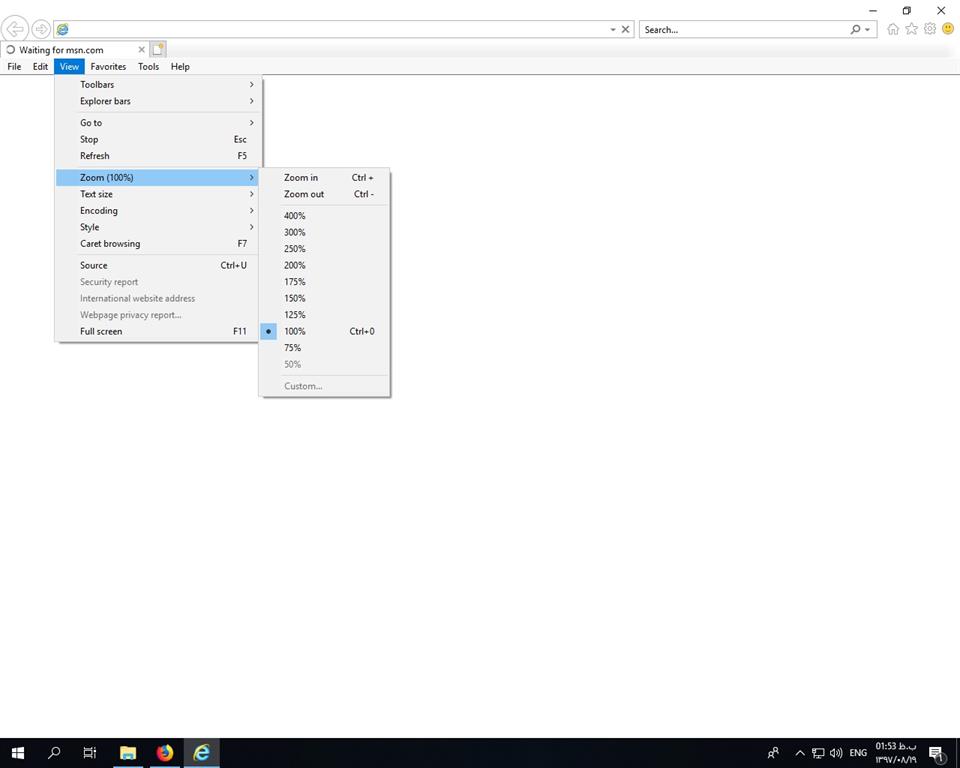
To enlarge the items displayed on the portal in Internet Explorer,
select the
View
menu, then choose
Zoom
and select your preferred magnification level.
You can also use the CTRL and + keys simultaneously to zoom in.
You can also use the CTRL and + keys simultaneously to zoom in.
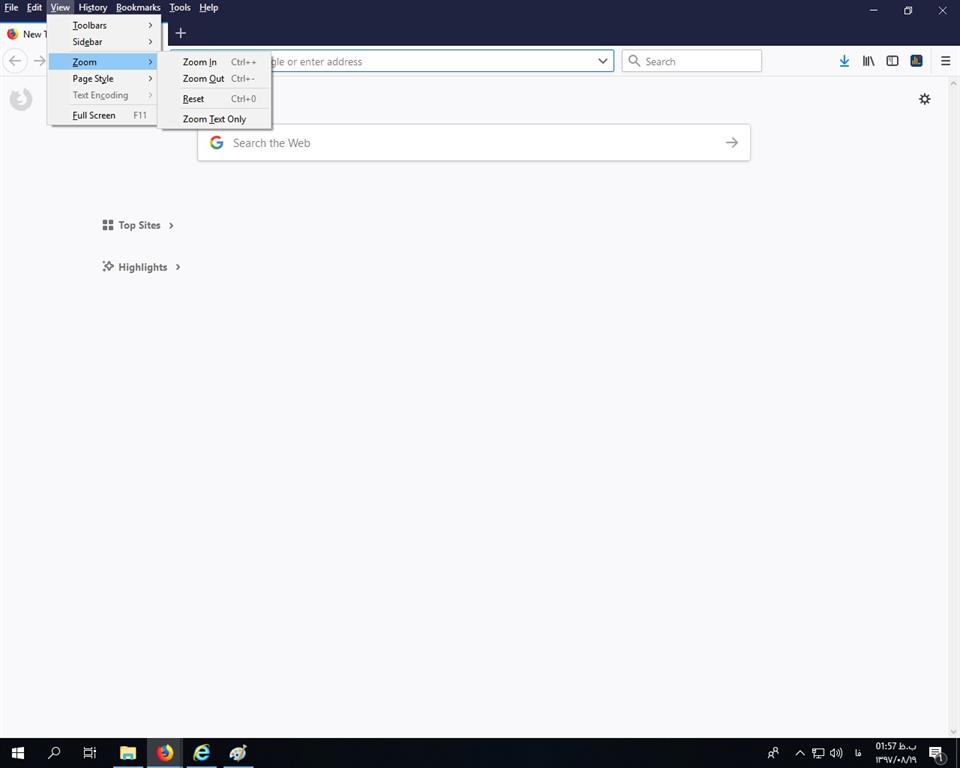
In Firefox, to zoom in or out of the page, select the Zoom option from the View menu.
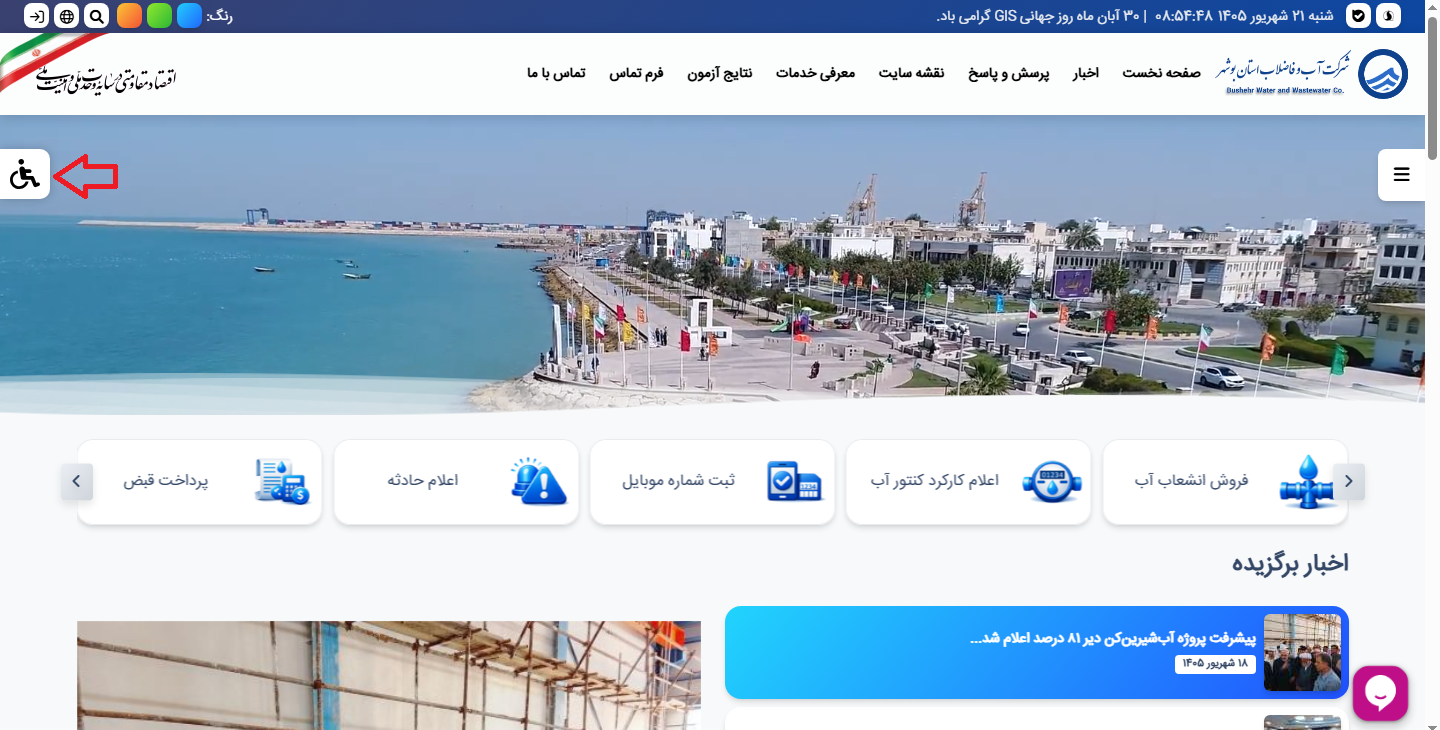
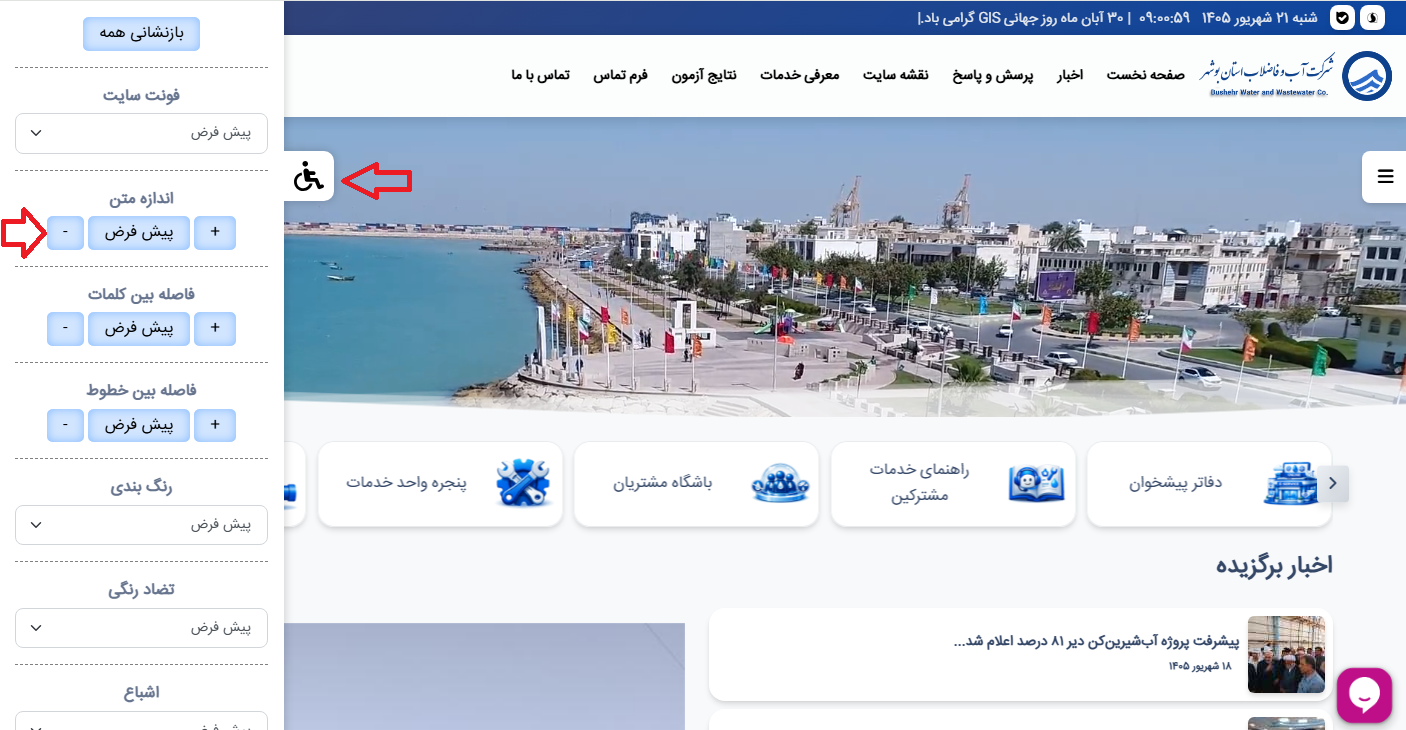
As shown in the image below, the website banner includes buttons that allow users with disabilities to increase or decrease the font size of the text.
Creation Date: 2026/11/23 (12:50:50)
Number of Visits: 3